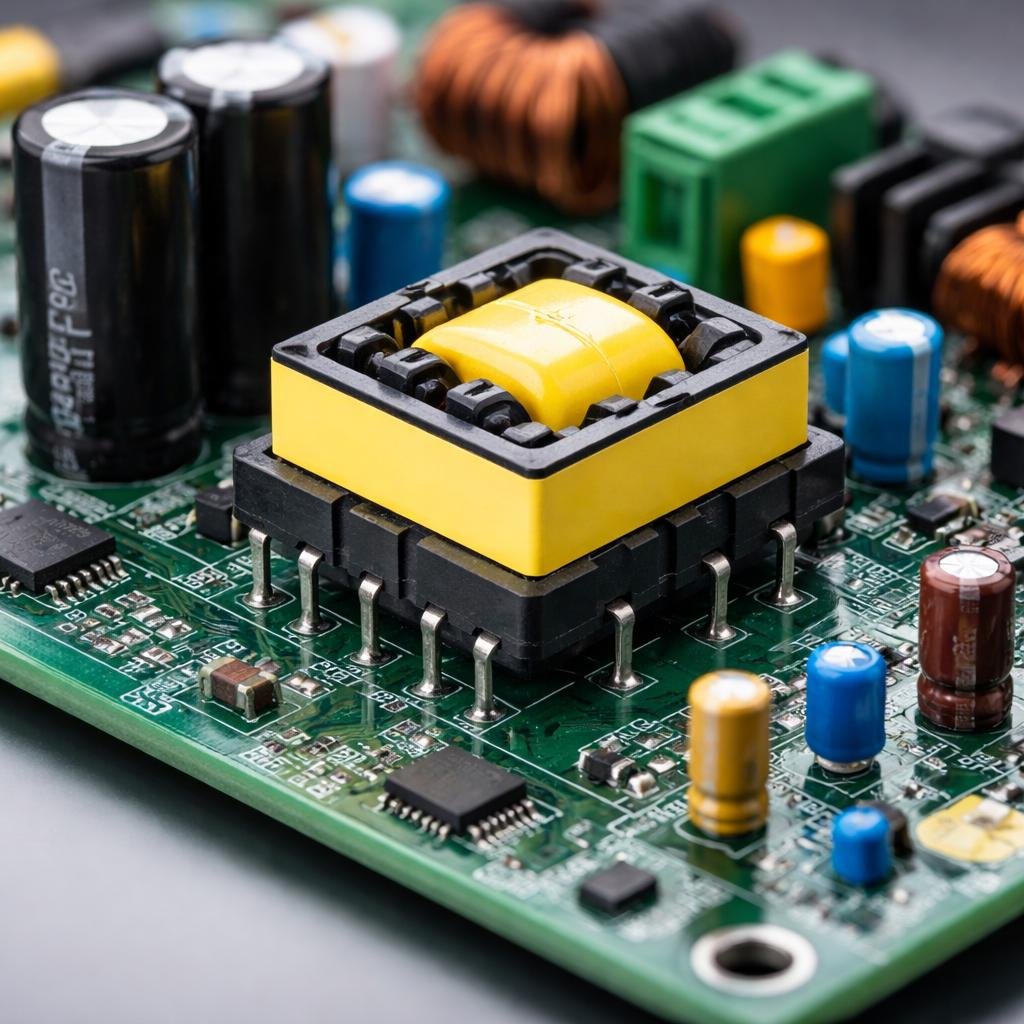
In practical electronics design, PCB power transformers rarely fail due to incorrect voltage selection alone. Instead, failures typically occur because real operating conditions differ significantly from datasheet assumptions.
Based on engineering experience and field observations across power supply circuits, most transformer issues, such as overheating, voltage drops, or efficiency losses, are linked to load behaviour, thermal constraints, and PCB design limitations.
This guide explains not just what goes wrong but why it happens in real systems and how to fix it effectively.
Understanding the Real-World vs Datasheet Gap
If you’ve ever selected a transformer based on the datasheet and thought, “everything looks perfect” you’re not alone.
On paper, it usually does look perfect.
Specs are tested in clean conditions:
- Stable load
- Room temperature
- Proper airflow
But real circuits? A totally different story.
Once that transformer is inside your PCB:
- The load keeps changing
- Heat starts building up
- Other components add their own heat
And suddenly, things don’t behave the same way anymore.
In fact, a transformer running comfortably at 80% load on paper can feel almost “maxed out” in a tight enclosure.
That gap between theory and reality is where most problems begin.
Most Common PCB Transformer Problems (What Actually Goes Wrong)
1. Heat Buildup (The Silent Killer)
This is the one that catches most people off guard. Everything works fine in the beginning. No issues. Stable output. But give it some time —30 minutes, an hour, a few hours and the heat slowly starts creeping in.
Then:
- Efficiency drops
- Output becomes unstable
- Long-term damage begins
Why does it happen:
- Transformer is already near its limit
- No airflow in compact designs
- Nearby components make things worse
The tricky part? It doesn’t fail instantly. It degrades quietly.
2. Voltage Drops When You Actually Use It
You test your circuit works perfectly.
Then in real use, you turn on multiple loads… and boom — voltage drops.
Sound familiar?
For example:
- One relay → fine
- Multiple relays → voltage dips
What’s going on:
- Transformer can’t handle peak demand
- Rating looked enough, but wasn’t in real conditions
- Startup surge (inrush current) wasn’t considered
3. Sudden Load Spikes (Real Circuits Aren’t Stable)
Most circuits today aren’t smooth and steady.
They have:
- Relays clicking on/off
- Motors starting
- Switching regulators kicking in
All of these create sudden load spikes.
If your transformer isn’t ready for that:
- Output fluctuates
- Noise increases
- System feels unstable
4. Performance Slowly Gets Worse
This one is subtle.
Nothing “breaks”… but performance isn’t as good as before.
That’s because:
- Running near max capacity generates more heat
- Heat reduces efficiency
- Efficiency loss creates even more heat
It’s a slow cycle — but very real.
5. PCB Layout Mistakes (Underrated but Critical)
Honestly, this is something many people ignore.
Even a good transformer can struggle if placement is poor.
Common mistakes:
- Placing it next to hot components
- No spacing around it
- Tight enclosure with no airflow
Sometimes, one small hotspot can cause more trouble than the overall temperature of the board.
How to Actually Diagnose These Issues?
Let’s keep this practical.
Step 1: Don’t Just Test — Stress Test
Don’t test at half load and assume it’s fine.
Push it:
- Maximum load
- All outputs active
Then observe:
- Voltage stability
- Heat behavior
- Any performance changes
Step 2: Give It Time (This Is Important)
Most problems don’t show immediately.
Check temperature after:
- 5 minutes
- 30 minutes
- 1–2 hours
You’ll often see a completely different picture over time.
Step 3: Test Like Real Usage
Bench testing isn’t enough.
Try to match real conditions:
- Closed box
- Continuous operation
- Multiple loads running
That’s where the truth shows up.
Step 4: Watch Behavior When Load Changes
Turn things on/off and see what happens.
Look for:
- Voltage dips
- Slow recovery
- Noise or flickering
These small signs are early warnings.
What Actually Fixes These Problems
Leave Some Breathing Room (20–30% Margin)
Running at the edge is risky.
A little extra capacity:
- Keeps things cooler
- Improves stability
- Makes everything last longer
Think About Worst-Case, Not Average
Average load is misleading.
Always think:
- What’s the peak?
- What happens when everything turns on together?
Fix Your Layout (Small Changes, Big Impact)
Try this:
- Don’t crowd the transformer
- Keep it away from heat sources
- Allow airflow if possible
Even minor adjustments can reduce heat a lot.
Run Longer Tests
Quick tests lie.
Let the system run for a while and watch:
- Temperature rise
- Stability
- Output behavior
Don’t Go Too Cheap on Critical Parts
A low-quality transformer might work… initially.
But under heat and load, it usually shows problems sooner.
Where You’ll Notice These Problems the Most
These issues are more obvious in systems that:
- Run continuously
- Handle variable loads
- Work in closed environments
Like:
- Industrial systems
- Embedded electronics
- Battery chargers
- Power supplies
What Experienced Engineers Do (That Others Don’t)
With experience, your approach changes.
You stop asking:
“Does this meet the spec?”
And start asking:
“Will this still work after hours of real use?”
That shift matters.
Experienced designers:
- Plan for worst-case scenarios
- Test in real conditions
- Pay attention to heat
- Avoid pushing components to their limits
That’s what makes designs reliable — not just functional.
Key Takeaways
- Datasheets don’t tell the full story
- Heat is the biggest hidden issue
- Peak load matters more than average
- Layout decisions directly affect performance
- Real-world testing is where truth shows up
Conclusion
PCB power transformer failures are rarely random—they are predictable when real-world conditions are ignored.
By applying engineering best practices such as load headroom, thermal awareness, and real-condition testing, designers can prevent common issues and significantly improve system performance.
Ultimately, reliable transformer operation depends not just on correct selection—but on correct implementation and validation.